

MDM deployment on macOS
Deploy the scanner to your Macs with a configuration profile and the pre-filled install script, from any MDM.
On macOS, your mobile device management (MDM) tool delivers two files. A configuration profile carries the enrollment token, and the pre-filled install.sh installs the scanner. Nobody has to sign in on the Mac.
Before you begin
- The Admin role in Surface, to create the enrollment token.
- Administrator access to your MDM.
- The Macs are enrolled in your MDM, checking in, and meet the requirements.
What to set up in your MDM
| Setting | Value | Where it is in Jamf Pro |
|---|---|---|
| Profile type | Custom settings (.plist upload) |
Configuration profile › Application & Custom Settings › Upload |
| Preference domain | com.superalign.surface |
Preference Domain field |
| Installer script | install.sh, unchanged, Shell/Bash |
Settings › Computer management › Scripts |
| Runs as | root | Policies run scripts as root by default |
| Run frequency | Once per Mac | Execution Frequency: Once per computer |
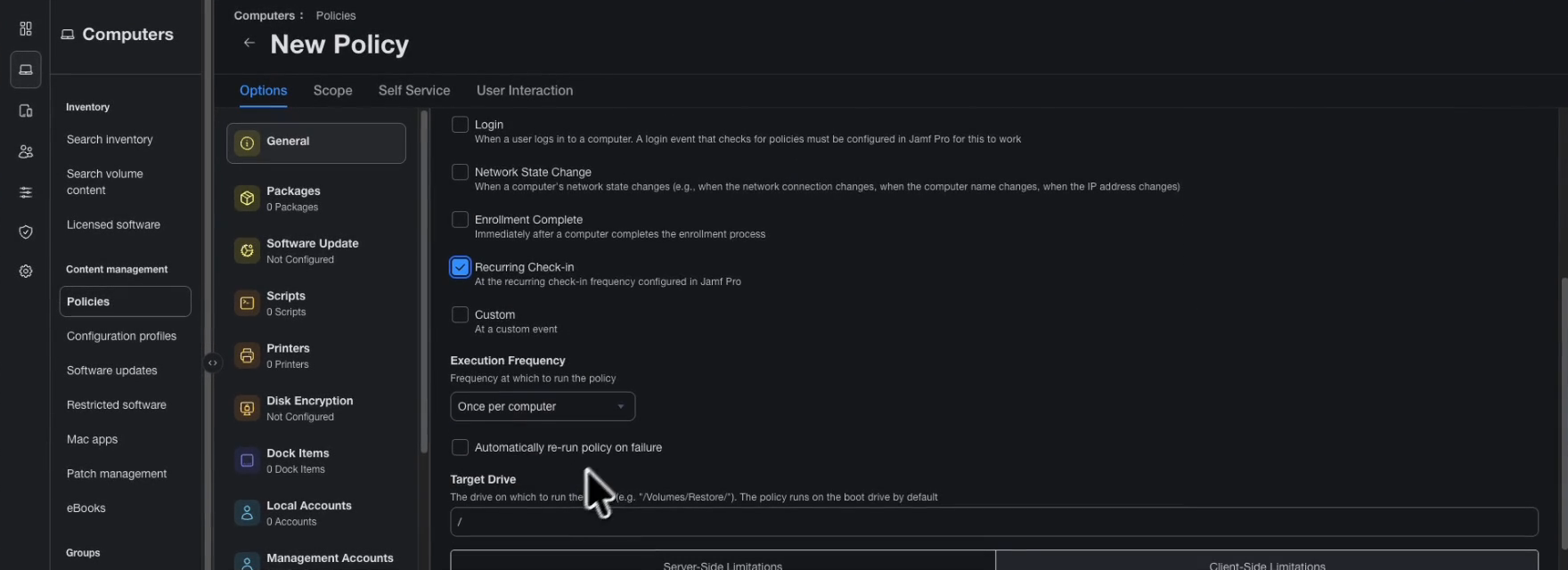
| When it runs | The Mac’s next check-in | Trigger: Recurring Check-in |
| Target Macs | The same Macs for the profile and the script | Scope tab on both |
Download the two files from the console
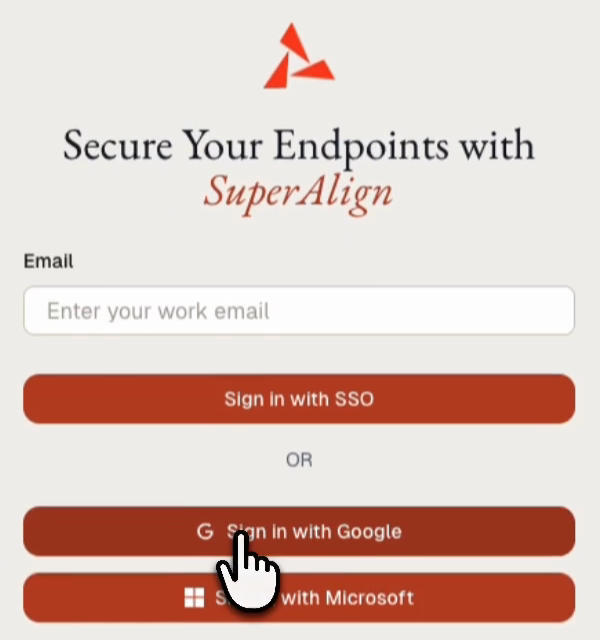
Open console.superalign.ai and sign in with your work account using SSO, Google, or Microsoft. A new organization shows no tools or laptops until the first Mac enrolls.
Open Downloads and select the MDM / Enterprise tab.
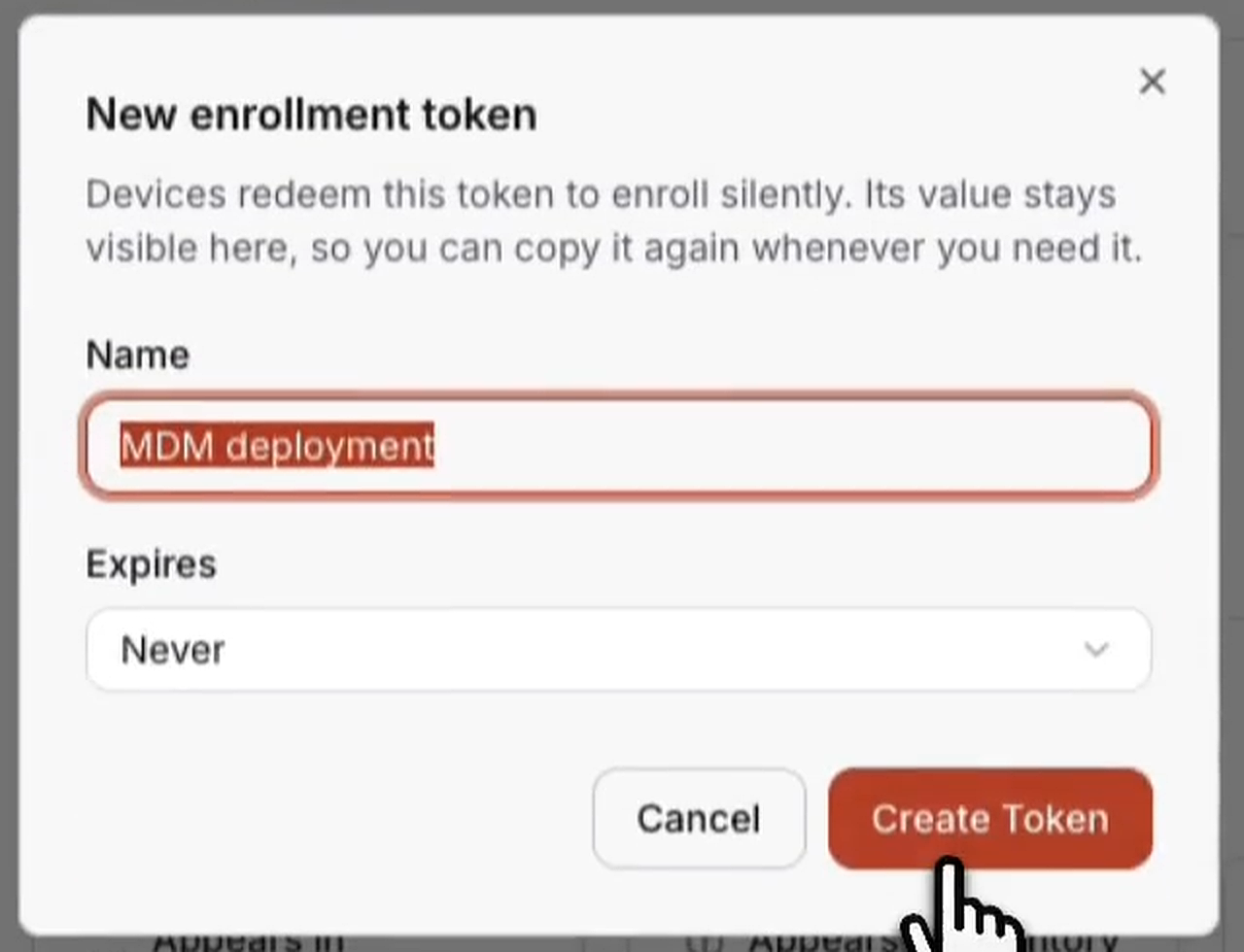
Under Enrollment tokens, click New token. Name it, for example “MDM deployment”, choose an expiry, and click Create Token. See Enrollment tokens.
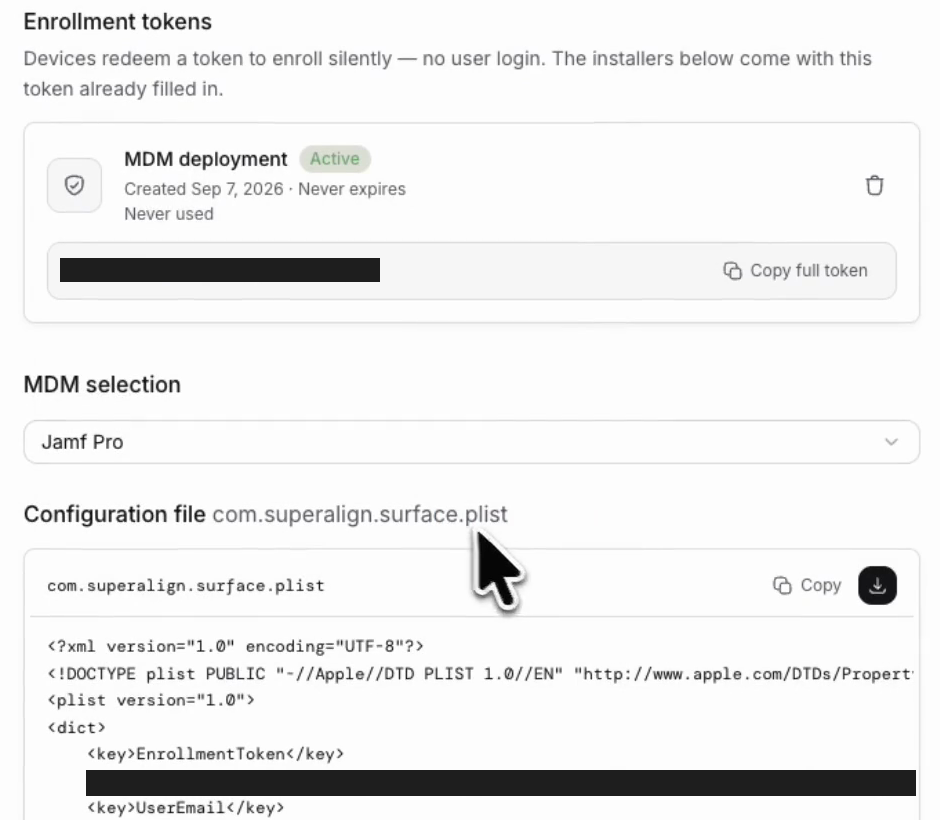
Under MDM selection, choose your MDM. Click the download button beside Copy to save com.superalign.surface.plist.
Scroll to Installer and download install.sh.
You now have two files: com.superalign.surface.plist, pushed as the configuration profile in the next step, and install.sh, added as a script after that. Both already contain your enrollment token. Share them only with the people who manage your MDM.
Push the configuration profile
Push the profile before the script. It keeps the token on the Mac, so it survives a package reinstall.
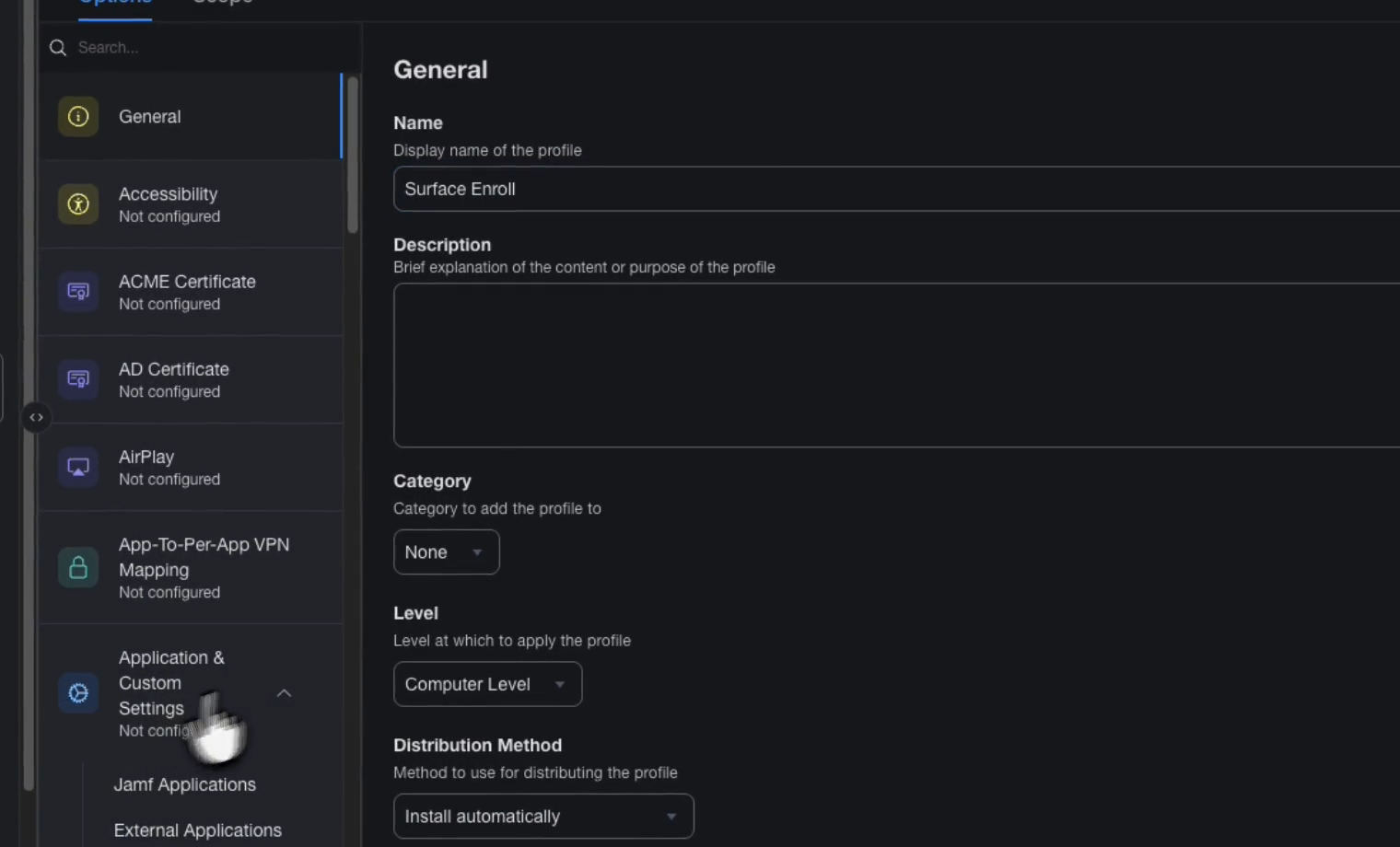
Create a new macOS configuration profile named, for example, “Surface Enroll”. Apply it at computer level and install it automatically.
Add a custom settings payload. MDMs call it custom settings, custom preferences, or a preference file.
Enter com.superalign.surface as the preference domain. The console shows it under the file preview.
Upload com.superalign.surface.plist and save.
Scope the profile to the Macs that should run Surface. Note which ones: the script goes to the same Macs.
Jamf Pro: Computers › Configuration profiles › New. Set Level: Computer Level and Distribution Method: Install automatically. Then Application & Custom Settings › Upload › Add, and the Scope tab.
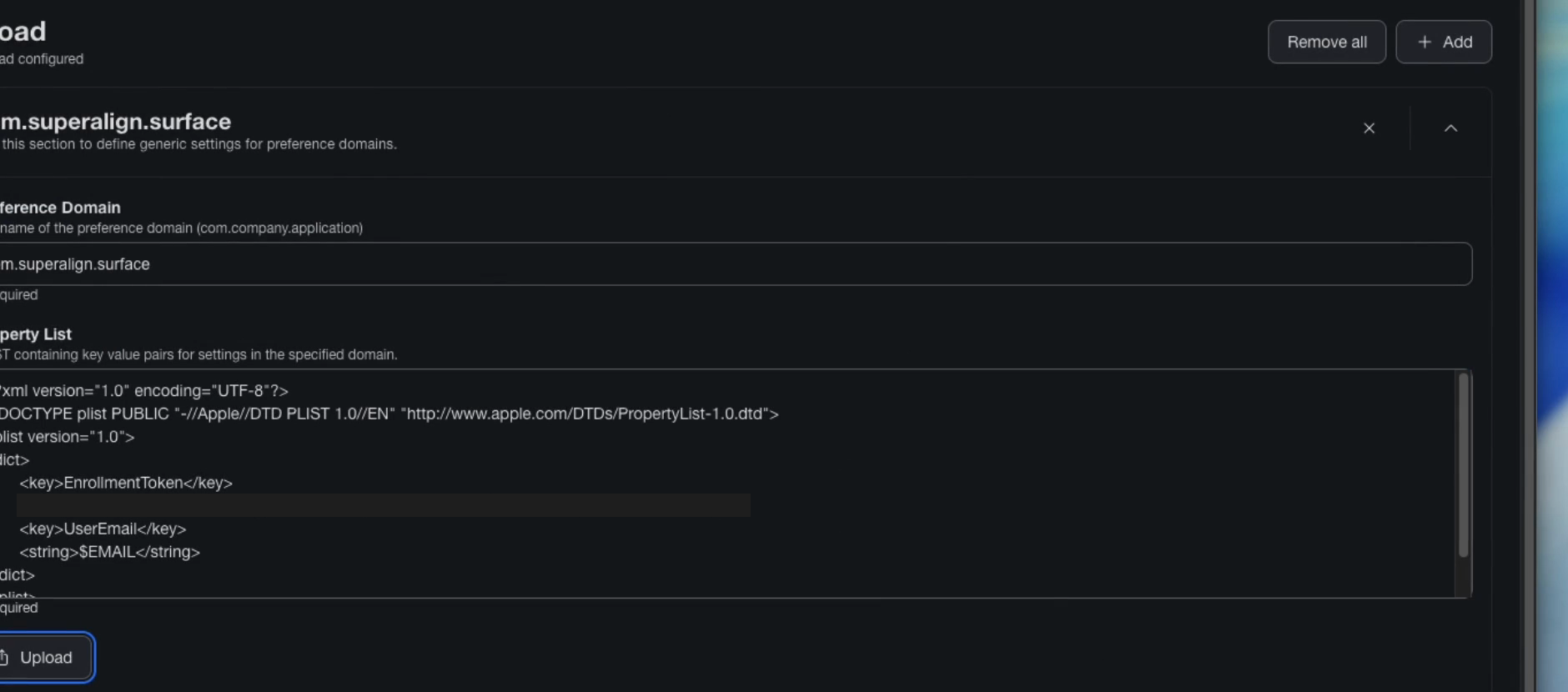
The profile holds these keys:
| Key | Type | Required |
|---|---|---|
EnrollmentToken |
String | Yes |
UserEmail |
String | No |
UserFullName |
String | No |
<dict>
  <key>EnrollmentToken</key>
  <string>sae_xxxxxxxx.yyyyyyyyyyyyyyyy</string>
  <key>UserEmail</key>
  <string>$EMAIL</string>
  <key>UserFullName</key>
  <string>$FULLNAME</string>
</dict>
Jamf substitutes $EMAIL and $FULLNAME per Mac.
Add a custom profile with the plist above. Kandji substitutes $EMAIL.
Add a custom profile. Use %email% for the user email.
Add a preference file (.plist) with the domain com.superalign.surface.
Add the installer script
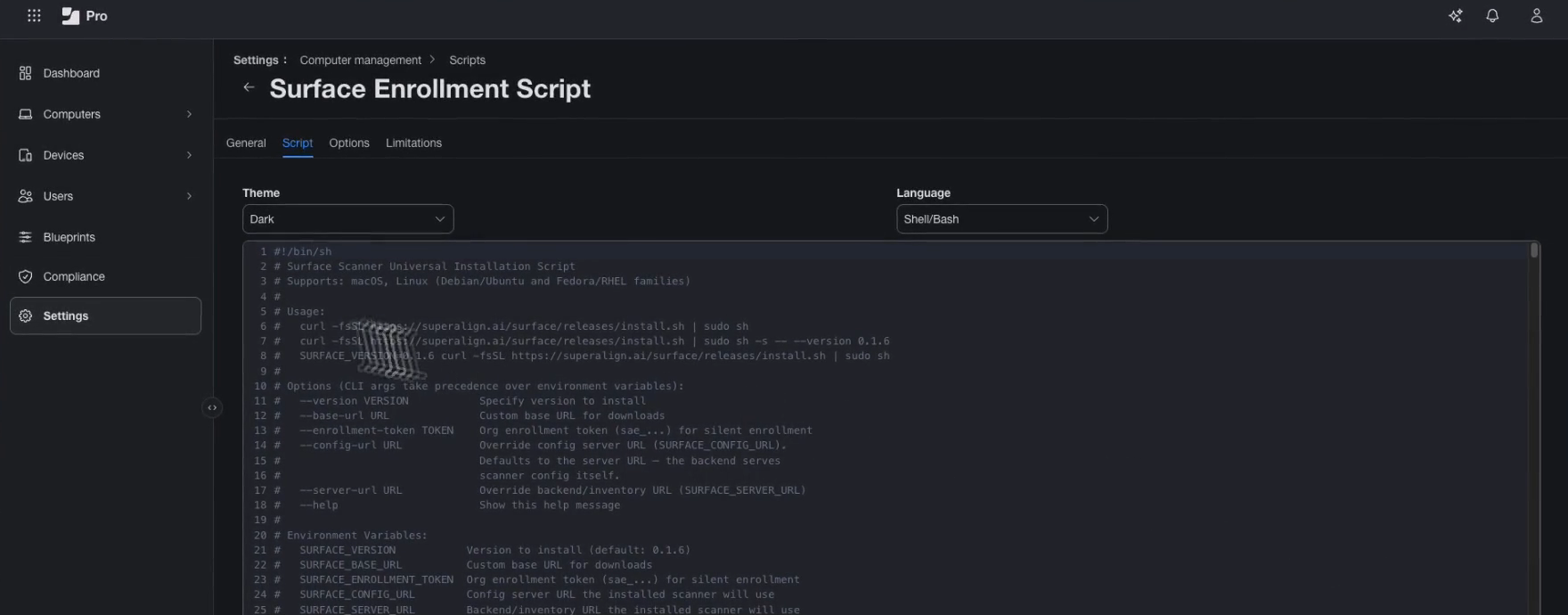
Create a new macOS shell script named, for example, “Surface Enrollment Script”. If your MDM asks for a language, choose Shell/Bash. Paste the whole of install.sh into the editor, or upload the file, and save.
Do not edit the file. It already contains your enrollment token.
Jamf Pro: Settings › Computer management › Scripts › New. Name it on the General tab, then paste it on the Script tab.
Run the script on the Macs
Set the script to run once on each Mac, as root, at its next check-in, on the same Macs as the profile. If your MDM offers to run the script as the signed-in user, turn that off.
Some MDMs do this with a separate policy, as Jamf Pro does. Others set the schedule and the target Macs on the script itself.
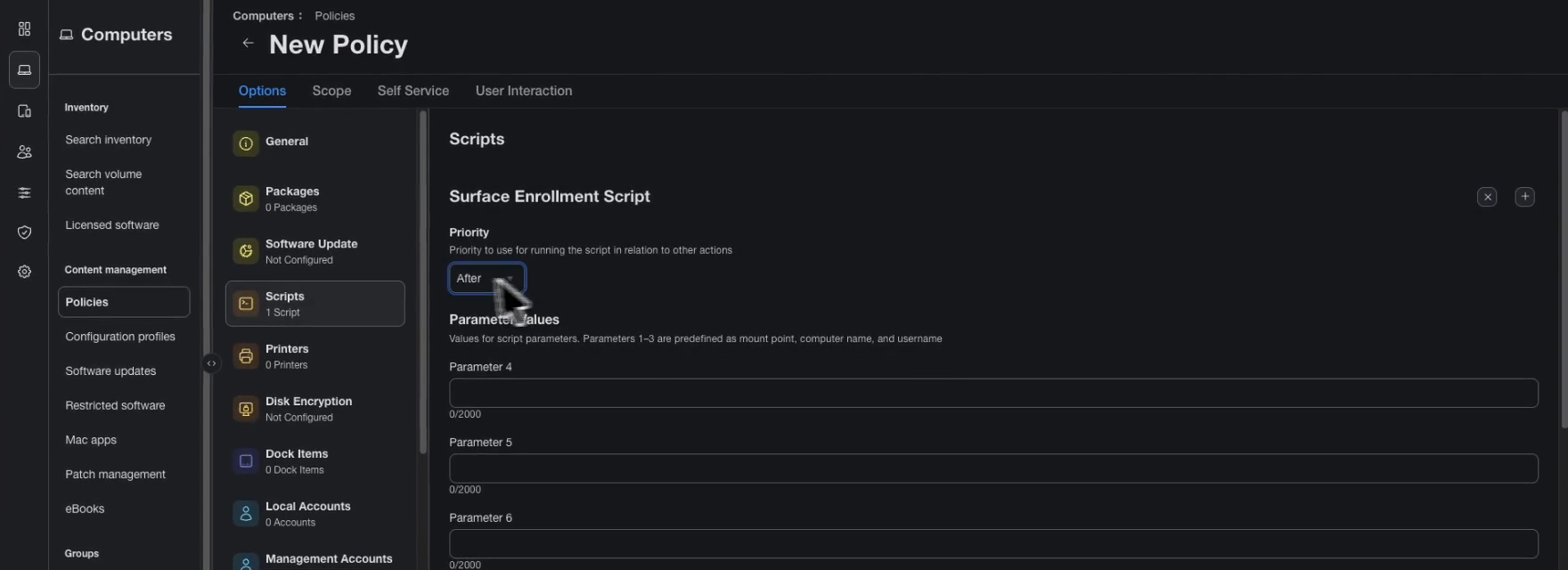
Jamf Pro: Computers › Policies › New. Name it “Surface Enrollment” and keep Enabled checked. Set Trigger: Recurring Check-in and Execution Frequency: Once per computer. In the Scripts payload, add the script with Priority: After. On the Scope tab, add the same computers as the profile. Save.
Verify
Each Mac receives the profile and the script at its next check-in. No one needs to do anything on the Mac.
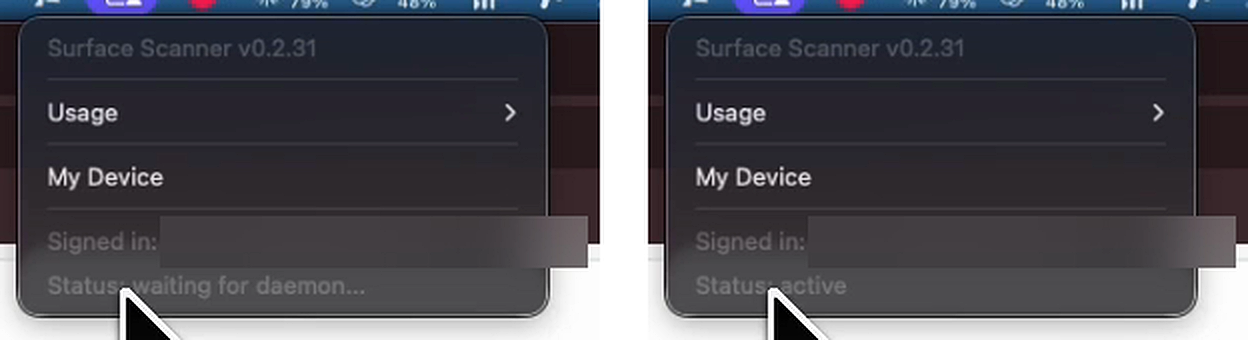
On the Mac, macOS first confirms the profile was delivered, and the Surface icon appears in the menu bar. Next, an App Background Activity notice says Surface can run in the background. Click the icon: Status shows waiting for daemon… while the service starts, then active after the first scan. The account is signed in with no login prompt, because the token handled enrollment.
From a terminal on the Mac:
defaults read /Library/Managed\ Preferences/com.superalign.surface
sudo surface status
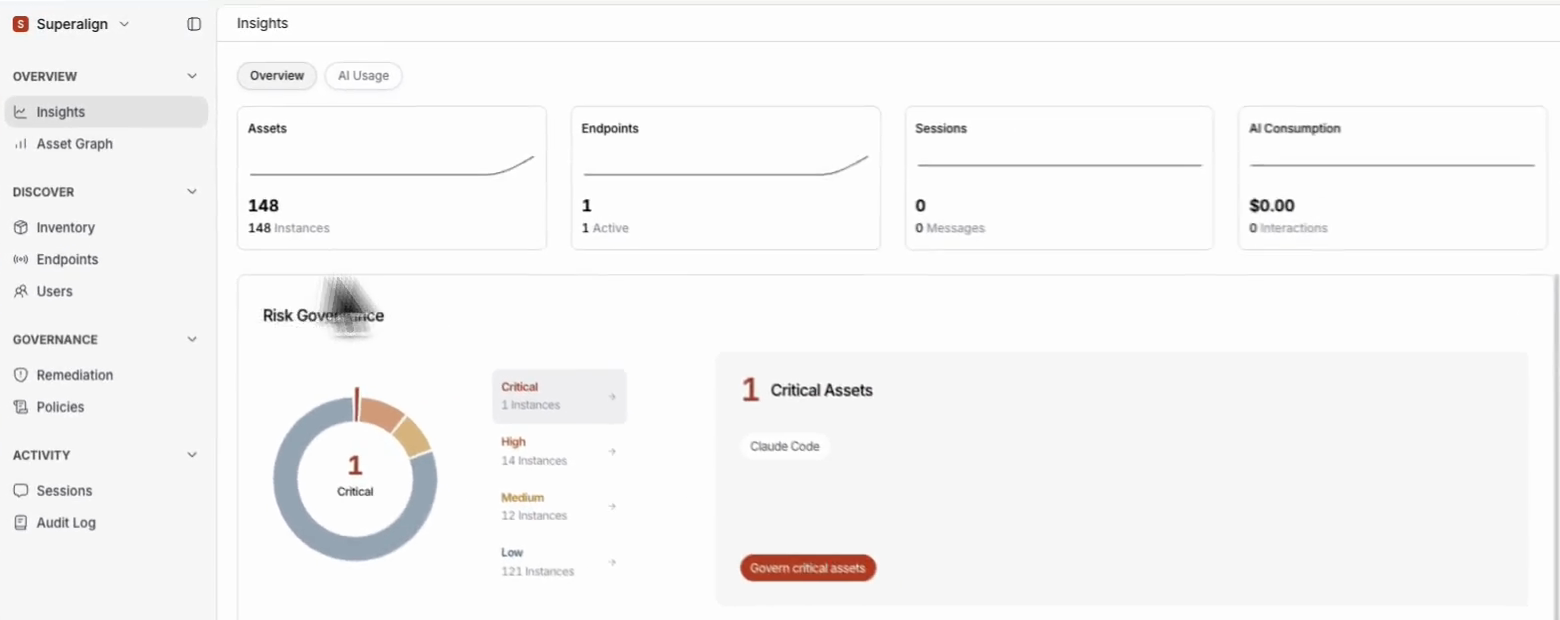
In the console, Insights now shows the tools found, the laptop count, and any critical tools.
Endpoints lists the Mac as Active, with its Surface version, tools found, and last seen time.

If a Mac does not appear
- Check the Mac has checked in with your MDM since you assigned the script.
- Check the Mac has both the configuration profile and the script.
- Check the enrollment token still shows as Active under Downloads in the console.
For log errors, see Troubleshooting.
Deploy the package instead
You can assign the macOS .pkg from the Downloads page instead of the script. Keep the configuration profile, since the package does not carry the token. Your MDM runs:
sudo installer -pkg SuperAlign-surface-{version}-darwin-{arch}.pkg -target /The package is signed and notarized, so macOS does not ask for permissions again after updates.
Uninstall through MDM
The package bundles an uninstaller. Run it from a script in your MDM:
sudo /opt/surface/bin/uninstall.sh --forceIt deregisters the laptop from the console, removes the service and files, and deletes the managed profile’s settings so a reinstall cannot reuse a revoked token.
Next steps
- Browser extension if you plan to record AI websites
- Troubleshooting if a laptop does not appear
- Update and uninstall for upgrades through the same deployment